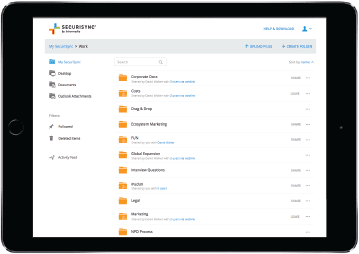
Go Beyond Typical Cloud File Storage
Three cloud service functions in one product: share and sync files, backup in real-time, and antivirus protection (including ransomware)
Get QuoteThree cloud service functions in one product: share and sync files, backup in real-time, and antivirus protection (including ransomware)
Get Quote
Cloud sync and backup files instantly across desktop and mobile devices: Windows, Mac, iOS, and Android.
Co-edit files with online editing and manage files and versions directly from Microsoft 365 apps.
Point-in-time folder and file restoration gets users back to work quickly in the event of a ransomware attack.
Our File Server Sync app installed on a Windows file server syncs files to your cloud account or migrates data easily.
As soon as files are created or changed, they're backed up – and instantly accessible for end-users from desktops, laptops, mobile devices, and the web.
More than just the files in your SecuriSync folder – we also protect cloud data, files, and folders on your Desktop and in My Documents, Music, Video, Downloads and Documents folders, plus the photos and videos from iOS and Android devices.
As soon as files are created or changed, they’re automatically backed up – and instantly accessible from desktops, laptops, mobile devices, and the web.
Backed-up files can easily be restored to any previous versions in case of hard drive crashes, lost or stolen laptops, accidental deletion or mass file infection.
Selective Sync lets you pick and choose what folders and files you want to sync to your device. All your files will always be available in cloud storage via the web experience.
Our comprehensive administrative control panel gives account owners complete control over their file management and synchronization environment.
Files are protected with anti-malware and antivirus software. Administrators can remote-wipe data from connected devices.
Device Access Policy lets admins limit the number of devices allowed to connect. Two-factor authentication adds another layer of protection.
File access and permissions can be edited, updated, and revoked for team members at any time. Audit logs track all file and folder syncing and sharing activities.
File access and permissions can be edited, updated, and revoked at any time. Audit logs track all file and folder syncing and sharing activities.
SecuriSync is part of Intermedia Unite, so it’s fully integrated with our award-winning UC solution.
SecuriSync is managed from our simple-to-use HostPilot control panel along with other Unite functionality.
Access files quickly from PC, Mac, or mobile devices. Attach files to Unite chats with a few clicks.
Facilitates compliance with FINRA, SEC, SOX, HIPAA, FRCP, and other regulations.
FAQ
Cloud syncing automatically updates and stores your files across all your devices and the cloud, ensuring you always have the most recent version. With Intermedia’s SecuriSync, you can access, edit, and share files securely from anywhere, whether you’re on a desktop, tablet, or mobile device.
With SecuriSync, your data is safeguarded by enterprise-grade security, including encryption in transit and at rest, along with advanced user controls. You can trust that your files remain private and secure, while also being fully backed up to protect against data loss.
SecuriSync offers several advantages over other cloud providers or storage services. Unlike many solutions, SecuriSync provides generous storage space without restrictions on file sizes, ensuring you never run out of space or encounter limits when syncing large files. Additionally, it integrates seamlessly with your existing tools and provides enterprise-grade security, making it a superior choice for businesses focused on collaboration and data protection.
SecuriSync is available with Intermedia Unite, our premier cloud communications solution for businesses of all sizes. See our Unite plans and pricing today to learn more about offering your customers a more engaging experience via phone and chat with your business.
SEE UNITE PLANS
To use AI chat, you'll need to enable functional and analytics cookies. By selecting "Accept Cookies and Chat," you consent to enabling functional and analytics cookies across the site and to chat processing by Intermedia and its service providers, which may include AI-generated responses. Please do not share sensitive information. See our Privacy Policy.